Calibration Interface for Hydroponic Sensors
A monitoring and automation interface designed to make sensor calibration accessible.
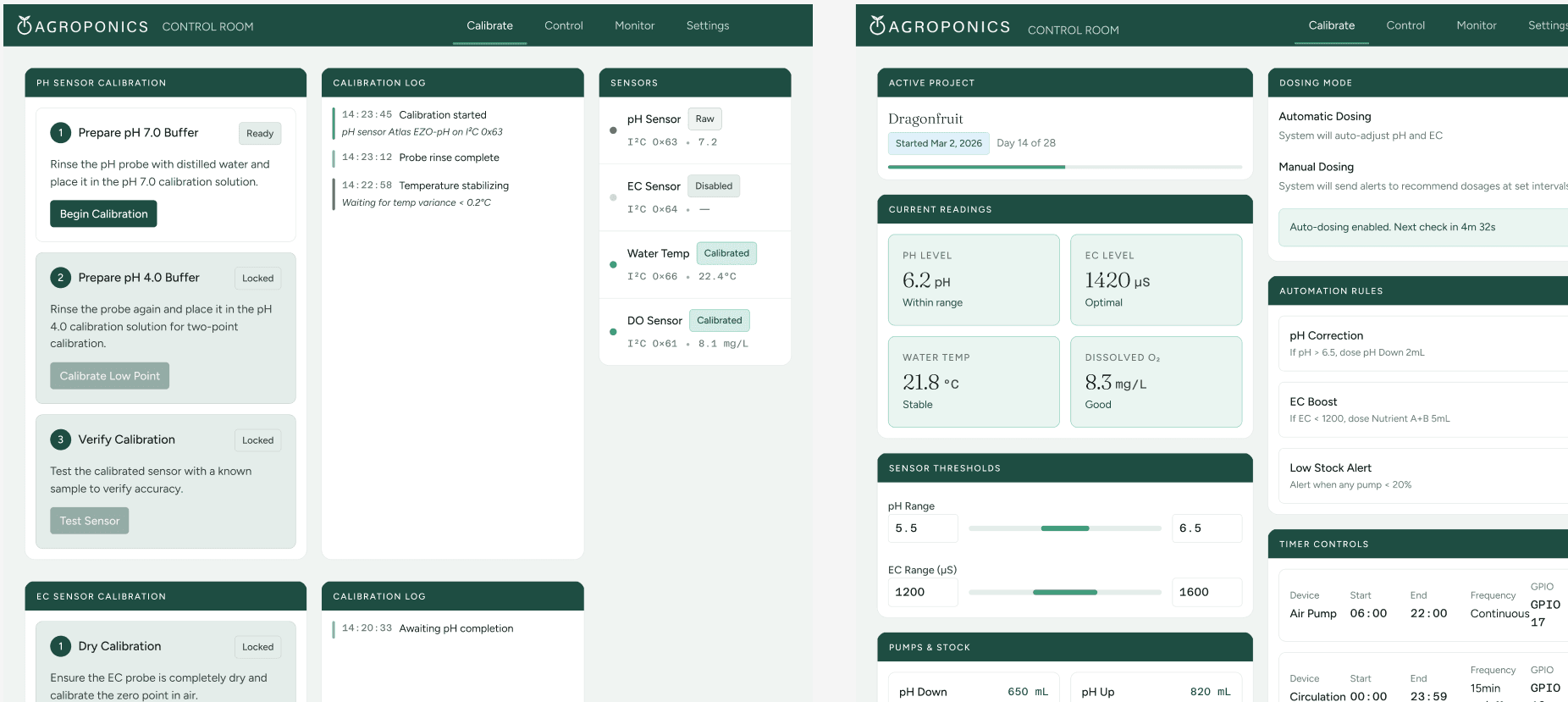
Agroponics' Control Room is an interface where users, even those new to gardening & coding, can monitor and automatically maintain their plants. Regular sensor calibration is a critical part of smooth operations, especially for DIY equipment! It can also be confusing if done solely from the backend, where it can be hard to decipher where a process goes wrong. Over the course of three months, I iterated on a solution to increase calibration speed and reduce cognitive load.
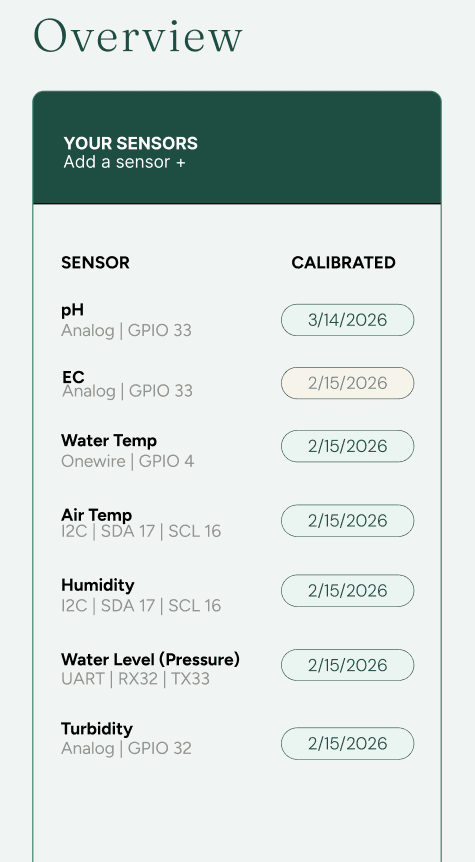
The goal was to make a calibration interface that anyone could use. The interface should lock steps sequentially; you can't advance to buffer calibration until probe detection and rinse are confirmed, and you can't run verification until both calibration points are complete. Probe setup and detection are handled in a settings page. A persistent status bar shows which sensors are active, calibrated, or disabled at a glance. Calibration history is logged with timestamps to make drift trends visible over time.
After iteration, I decided on an interface that locks calibration steps sequentially. You cannot advance to buffer calibration until probe detection and rinse are confirmed, and you cannot run verification until both calibration points are complete. This enforces the dependency graph of the process itself, since each step's validity depends on the one before it.
A persistent status bar tracks which sensors are active, calibrated, or disabled at a glance. Probe setup and detection are configured in a dedicated settings page, and if no sensor is detected the calibration flow is greyed out, directing the operator toward the hardware issue before attempting the process. If a reading falls outside the expected range, a retry prompt surfaces with a plain-language explanation. Calibration history is logged with timestamps, making drift trends visible across sessions rather than only in the moment.
I started with a Figma wireframe, then prototyped in flat HTML rather than going straight to React. The goal was to get fully interactive buttons working without setting up the data stream, so the team could methodically walk through all the edge cases before anything was wired up. We ran a mock calibration and it took much less time than our original average of 45 minutes. That walkthrough surfaced some user-requested features, like the ability to log pH readings from manual test strips into the calibration history, which got added before moving forward. The backend runs on C++ via PlatformIO, communicating with the DFRobot sensors and publishing data over MQTT. Once the prototype was validated, I translated it into React to interface with that existing data stream and fit into our shared repository. We're currently in full testing.
Calibration time dropped from roughly 45 minutes to 15 minutes per session. Operators could run the process independently without referencing datasheets or asking someone who had done it before. Building the interface also forced us to document the calibration process properly for the first time. That documentation is now part of team onboarding.
← Back to Projects